Your front door isn't where your home begins.
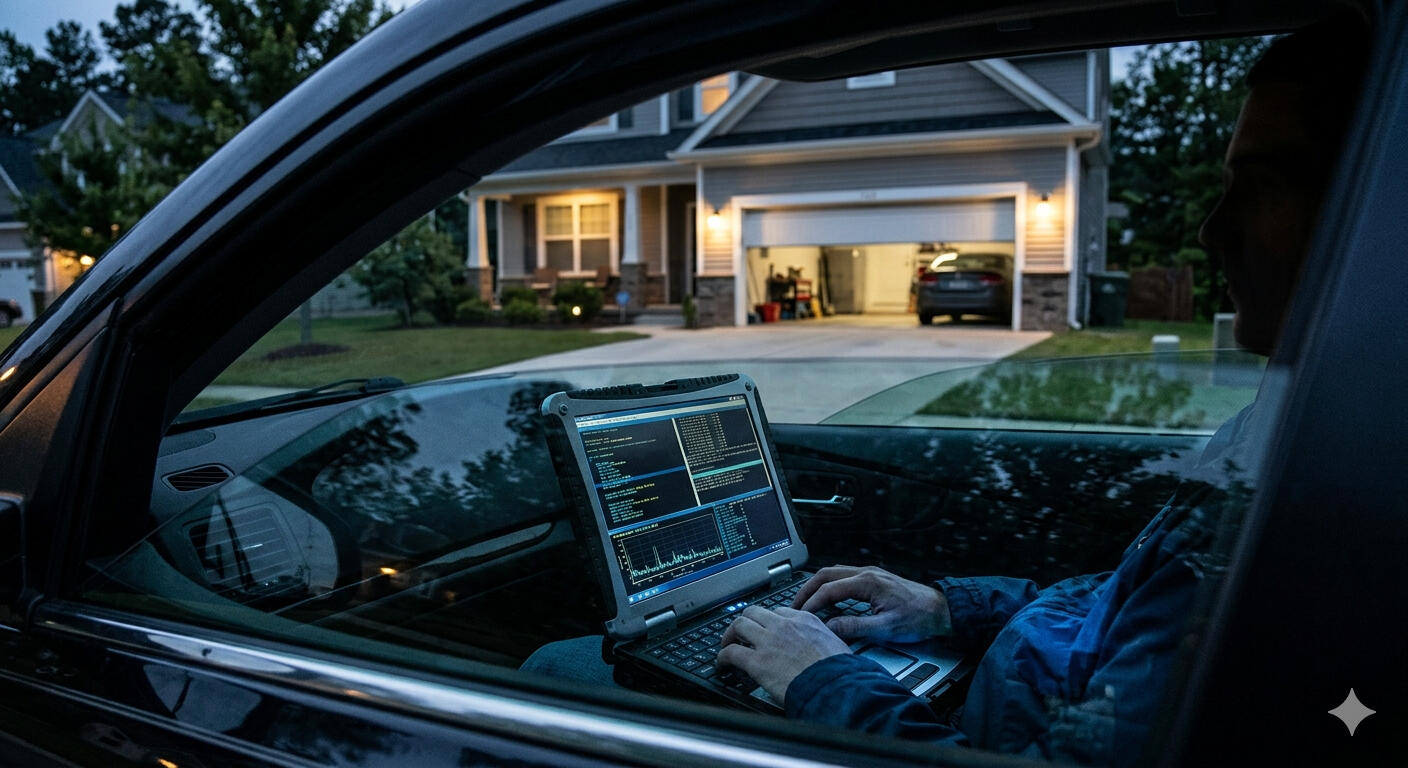
In 2026, your walls are transparent to anyone with a laptop and a signal.
Every smart bulb, doorbell, and car fob in your house is a silent broadcast, whispering your private data to the street. A standard router is built for speed, not for war—it cannot see the "Shadow Identity" or the "Precision Jamming" happening right outside your window. If you can see the street, the street can see your network.

You invited the intruder in.
We’ve filled our homes with "smart" devices that prioritize convenience over combat-grade security. That Wi-Fi printer, the nursery camera, and even your smart lock are unshielded entry points—digital Trojan Horses that bypass your firewall from the inside out. They don't just connect you to the world; they provide a map for the world to find you. Without the Sentinel, you aren't just connected—you're exposed
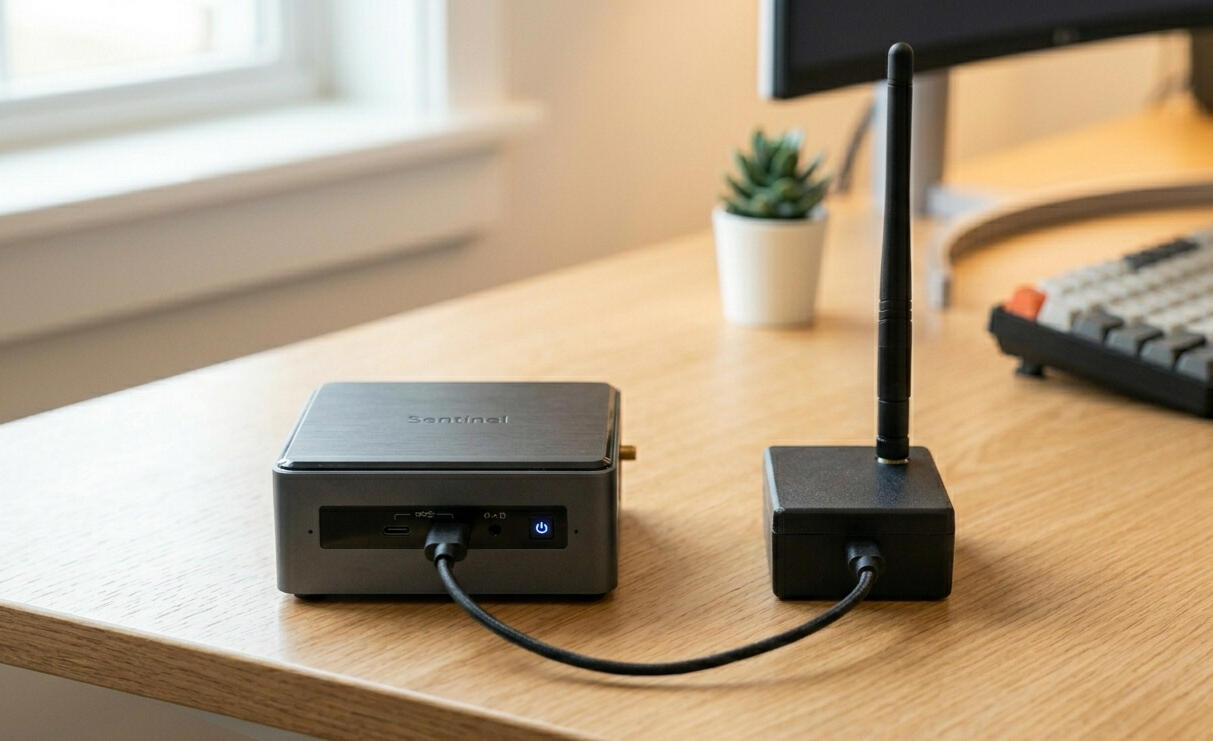
Every device listed below is a potential beacon for an attacker sitting in a car 50 feet from your driveway. Without the Sentinel, your 'Private' network is actually a public broadcast.
Routers
Mesh Nodes
Smart Locks
Keypads
Garage Door Openers
Smart Plugs
Smart Power Strips
Wi-Fi Range Extenders
IP Cameras
Security Cameras
Baby Monitors
Video Doorbells
Smart Speakers
Home Assistants
Smart TVs
Streaming Boxes
Car Key Fobs
Cellphones
Laptops
Tablets
Smart Watches
Fitness Trackers
Wireless Headphones
Network Printers
Smart Light Bulbs
Smart Lighting Bridges
Thermostats
HVAC Controllers
Solar Inverters
Power Walls
Smart Refrigerators
Smart Ovens
Smart Washers
Smart Dryers
CPAP Machines
Connected Heart Monitors
Insulin Pumps
VoIP Home Phones
Relay Attack (Passive Signal Amplification) Car Theft
A Relay Attack, or Passive Signal Amplification, is a sophisticated method of proximity bypass that tricks "smart" entry systems—such as keyless car ignitions or smart home locks—into thinking the authorized user is standing right at the door when they are actually hundreds of feet away. Unlike a standard hack that attempts to "crack" a code, this attack uses two attackers with high-gain antennas to act as a digital bridge; the first attacker stands near your front door while the second follows you at a distance, capturing the low-power "I am here" signal from your key fob or smartphone and amplifying it back to the lock. The security hardware sees a perfectly valid, encrypted handshake and grants access immediately, unaware that the signal has been stretched across an impossible distance by the attackers' relay equipment. This "Passive" nature makes it incredibly difficult to detect through traditional software logs, as no encryption is actually broken; the hardware is simply lied to about its physical proximity to the owner. The Sentinel mitigates this by implementing "Time-of-Flight" (ToF) Latency Checks, which measure the microscopic amount of time it takes for a signal to travel between the device and the lock. By detecting the nanosecond delay caused by the signal being relayed through the attackers' equipment, the Sentinel recognizes that the "authorized" user is too far away to be legitimate and keeps the door locked, neutralizing the bridge before it can be crossed.
CAN Bus Injection
Thieves use digital scanners to identify cars with 'External CAN-Bus' access points (like your headlights). If your car is broadcasting its identity to the street via Bluetooth or Wi-Fi, you are giving them a 'Digital Blueprint' of your security before they even get out of their van. I identify what your car is 'leaking' so you can stop being a target.
Deauthentication (Deauth) Flooding
A Deauth attack is the "forced entry" of the wireless world. Most people think a hacker needs your password to attack you; they don’t. Using a high-frequency flood, a hacker sends "Deauthentication" packets that forcibly kick your devices—phones, laptops, and security cameras—off your network. This is not just about making your cameras go dark; it is a calculated setup for a Credential Capture. The moment your device is kicked, it immediately attempts to "re-handshake" to get back online. The hacker sits in the middle, catching that reconnection request out of the air to clone your security keys or divert your device to a malicious "Twin" network. A standard router is fundamentally blind to this attack because it cannot "hear" the flood while it is being jammed.
Evil Twin Access Point
The Trap: Hackers use a high-powered device (like a WiFi Pineapple) to broadcast a signal that is stronger and identical to your home Wi-Fi. They don't wait for you to join; they use a "Force-Disconnect" signal to kick your devices off your real router.The Bait: Your iPhone, Laptop, or Smart Cam—desperate to get back online—instantly "sees" the hacker's stronger signal with the same name and auto-connects without asking you.
Karma Attack
How it works: Your devices are constantly shouting "Are you there?" to every network they've ever joined (Coffee shops, Hotels). A hacker's tool says "Yes, I am," to every request.
The Danger: Your phone connects to a hacker's "Starbucks Wi-Fi" while you're sitting in your living room.
The Sentinel Catch: We detect the "Active Probing" responses that characterize these tools.
RF Jamming Security Cameras (433MHz / 868MHz)
A hacker floods the frequency used by your wireless door sensors or panic buttons with "noise."
The Danger: You open the door, but the sensor can't "shout" to the alarm hub. The alarm never goes off.
Residential Proxy Farming
Your home IP address is your "Digital Reputation." Because you are a residential customer, websites like Netflix, Amazon, and major banks trust your connection more than they trust a data center. Residential Proxy Farming is when a hacker turns your smart devices—anything from a "bargain" smart bulb to an unpatched fridge—into a tunnel for their own traffic. They aren't trying to steal your photos; they are selling your home’s "clean" reputation to the highest bidder on the dark web.To the outside world, it looks like you are the one performing the activity. If a criminal in another country uses your "Proxy" to launch a cyberattack, scrape restricted data, or buy illegal goods, the digital breadcrumbs lead directly to your front door and your ISP account. You might only notice a slight lag in your streaming or a "Your IP has been flagged" message on a website, but the reality is that your home has been turned into a relay station for global cybercrime. The Sentinel identifies this by monitoring "Outbound Egress"—flagging the exact moment a device in your house starts talking to a known proxy-command server, a behavior that standard home routers completely ignore.
UPnP "Hole Punching"
Universal Plug and Play (UPnP) is a "convenience" protocol designed to let your devices—like game consoles, smart TVs, or security cameras—automatically talk to your router and open "holes" in your firewall so they can communicate with the internet. While this makes setup easy, it creates a massive security void. Hackers use a technique called Hole Punching to trick your router into opening a permanent, unmonitored gateway into your private network without ever needing your permission or password.Once a "hole" is punched, your firewall is effectively bypassed. A hacker can then reach through that gap to access sensitive hardware, like your home NAS drives, work laptops, or internal nursery cameras, which were never intended to be "internet-facing." You won’t see a notification, and your router won't block it, because the router thinks the device inside the house requested the opening. This turns your "secure" perimeter into a sieve. The Sentinel monitors for these unauthorized port-forwarding requests in real-time, mapping out the "holes" in your network and alerting you to any device that is attempting to bridge your private life to the public web.
Lateral Movement (The Leapfrog Attack)
The biggest mistake homeowners make is assuming that a "low-value" device—like a smart lightbulb or a cheap Wi-Fi plug—isn't worth a hacker's time. In a Lateral Movement attack, that bulb is just a stepping stone. Once a hacker gains a foothold on your weakest, least-secure device, they don't stay there. They use it as a "pivot point" to scan your internal network and "leapfrog" over to the high-value targets: your banking laptop, your phone, or your work-from-home server.This is the digital equivalent of a thief crawling through a tiny pet door just to unlock the main vault from the inside. Once they are "behind" your firewall, your security becomes significantly weaker because your internal devices are designed to trust one another. Most home routers only watch traffic coming in from the internet; they are completely oblivious to traffic moving sideways between your devices. The Sentinel maps your home's internal "conversation patterns." The moment your smart toaster tries to "talk" to your personal computer or access your private files, the Sentinel flags it as a breach in progress, stopping the leapfrog attack before it reaches your sensitive data.
Botnet Recruitment (Aisuru/ShadowV2)
In 2026, hackers aren't just looking to steal your data; they want your processing power. Botnet Recruitment—using sophisticated malware like Aisuru or ShadowV2—is the process of "enlisting" your home’s smart devices into a global, remote-controlled army of "zombies." These high-speed infections target the weak processors in your smart cameras, DVRs, and routers, turning them into weapons used to take down government websites, disrupt hospital systems, or mine cryptocurrency.The danger for you isn't just a slow internet connection. When your hardware is recruited, your home IP address becomes a source of high-volume malicious traffic. This can lead to your ISP blacklisting your account, your streaming services being blocked, or even legal scrutiny as your devices participate in large-scale criminal strikes. Because these "bots" operate in the background and only activate during a coordinated attack, you would never know your devices are compromised just by looking at them. The Sentinel solves this by monitoring "Command and Control" (C2) heartbeats—detecting the subtle, rhythmic pings your infected devices send to the hacker's master server to wait for orders. While your router sees "normal" traffic, the Sentinel recognizes the signature of a recruit waiting for the signal to strike.
Zigbee/Z-Wave Sniffing
Many homeowners believe they are safe because they’ve secured their Wi-Fi, but their "Smart Home" actually runs on a second, invisible layer: Zigbee or Z-Wave. These low-power radio frequencies control your motion sensors, smart locks, and alarm components. Sniffing occurs when a hacker sits within range of your house with a specialized radio sniffer to "listen" to the unencrypted or weakly encrypted commands flying through your walls. They aren't looking for your Wi-Fi password; they are looking for the specific "Handshake" that tells your front door to unlock or your alarm to disarm.The risk here is a total bypass of your physical security. By capturing and "replaying" these signals, a thief can trick your house into thinking a "Clear" command was sent, opening your locks or silencing your sirens without ever touching a keypad. Because this happens on a frequency your router cannot even "hear," you have zero visibility into the breach until the door is physically opened. The Sentinel is engineered to monitor the 2.4GHz and Sub-GHz spectrums where these protocols live. It detects the presence of unauthorized "Sniffing" hardware or abnormal signal repetitions, alerting you to the fact that someone is digitally "probing" your locks before they ever step onto your porch.
Protocol Hopping (Zigbee-to-Wi-Fi)
Protocol Hopping is one of the most sophisticated ways a hacker bypasses your "secure" Wi-Fi. Many modern smart hubs and mesh routers act as bridges between different languages: they speak Wi-Fi to your phone, but Zigbee or Bluetooth to your lightbulbs and sensors. A hacker targets the weakest link—usually an unpatched Zigbee light switch outside your house—and uses it as an entry point. Once they compromise that low-security device, they "hop" across the hub’s internal bridge directly onto your main Wi-Fi network.The danger is that you’ve essentially built a secret tunnel into your own fortress. You might have a complex 30-character Wi-Fi password, but the hacker didn't need it; they walked in through a "side door" protocol that has almost zero security. Once the "hop" is complete, they are inside your encrypted perimeter, sitting on the same network as your private laptops and tablets. Standard security software only monitors the Wi-Fi "front gate." The Sentinel is designed to watch the Bridge Points, detecting the moment a low-power Zigbee device starts attempting to "talk" to the high-power Wi-Fi side of your network—flagging the leap before the hacker can disappear into your private data.
mDNS Information Leakage
Multicast DNS (mDNS) is a protocol designed for convenience, allowing devices on your network—like printers, Apple TVs, and smart speakers—to "find" each other automatically. The problem is that mDNS is incredibly talkative. It constantly broadcasts a Digital Roll Call that tells every device in range exactly what is inside your home. When a hacker sits outside with a high-gain antenna, they don't even need to be on your Wi-Fi to "hear" this list. Your house is essentially shouting: "I have a Sony 4K TV, a Nest Camera in the hallway, an iPhone 15 Pro, and a MacBook Pro currently online."This is the ultimate reconnaissance tool for a criminal. By "listening" to these leaks, a hacker builds a perfect map of your internal hardware without ever triggering an alarm. They use this information to choose their weapons; if they know you have a specific model of an older smart hub, they can look up the exact "Day-Zero" exploit needed to crack it. You are providing them with a customized blueprint for your own hack. The Sentinel acts as a "Signal Silencer," detecting when your devices are being too loud and identifying the "Probing" requests from outsiders trying to trigger a roll call. It ensures your private inventory stays private, rather than being broadcast to the street.
API Exploitation (The "Side Door")
Modern smart homes are run by APIs (Application Programming Interfaces)—the invisible messengers that let your phone app talk to your smart lock's cloud server. API Exploitation happens when a hacker finds a flaw in that communication chain. Instead of trying to "break down the door" of your Wi-Fi, they send a forged command to the manufacturer's cloud that says, "The owner is home, unlock the front door." They aren't attacking your router; they are manipulating the trust between your device and the company that made it.This is a "Side Door" attack that renders your physical walls and Wi-Fi passwords useless. If a smart camera or alarm system has a poorly secured API, a hacker can remotely view your live feeds or disable your security from halfway across the world. Because the command comes from the "Cloud," your home router sees it as a legitimate request and lets it through without question. You are left completely exposed by a device you bought to protect you. The Sentinel identifies this by monitoring for "Abnormal API Calls"—detecting when a device suddenly starts communicating with suspicious external servers or receiving commands that deviate from your typical daily patterns. It catches the manipulation before the "Side Door" swings open.
Ransomware of Things (RoT)
Ransomware is no longer just about locking your computer files; in 2026, it has moved into your physical environment. Ransomware of Things (RoT) is an attack where a hacker gains control of your home’s critical infrastructure—your smart thermostat, your water heater, or even your smart locks—and locks you out of your own property. They don't want your data; they want to make your life unbearable until you pay a "release fee" in cryptocurrency. Imagine waking up to find your heating cranked to 40°C in the summer, or your front door deadbolted and your access codes wiped, with a digital ransom note appearing on your smart fridge screen.This is a high-pressure extortion tactic that targets your physical comfort and safety. Because these devices are often low-power and have no built-in antivirus, they are easy targets for "locker" malware that overrides the manufacturer's firmware. Your router won't stop this because the initial infection usually happens via a "Background Update" or a lateral move from a compromised phone. The Sentinel provides the only line of defense by detecting "Anomalous Hardware Commands." It flags the specific moment a device starts behaving in a way that contradicts its factory programming—such as a thermostat suddenly attempting to rewrite its own core code—allowing you to kill the connection before the hacker can "deadbolt" your life.
Supply Chain "Hardware Trojans"
A Hardware Trojan is the ultimate "Long Game" in cyber warfare. It occurs when malicious code or a physical "micro-chiplet" is embedded into a smart device at the point of manufacture or during a distribution warehouse layover. You aren't being hacked because of a weak password; you are being hacked because the device you just unboxed—a "bargain" security camera, a smart plug, or even a replacement router—was born compromised. The moment you plug it in and give it your Wi-Fi credentials, it opens a pre-programmed, "invisible" tunnel back to a server in a hostile jurisdiction.The danger of a Hardware Trojan is its invisibility. Because the malware lives at the "Silicon Level," standard antivirus and firewall checks will report that the device is "Clean." It doesn't look like a virus; it looks like the device's own heartbeat. These "Trojans" can sit dormant for months, silently recording audio, sniffing your network traffic, or waiting for a remote "Wake-Up" command to launch a full-scale attack from inside your perimeter. The Sentinel is designed to detect these "Out-of-Box Anomalies." By comparing a new device's data-footprint against a global database of "Known Good" behavior, the Sentinel flags any device that tries to "phone home" to suspicious unlisted servers, stopping the spy in your living room before it can send its first report.
ARP Spoofing (The Middleman)
ARP Spoofing is a surgical strike on your network’s internal trust system. Every device in your home identifies your router using an "ARP table"—a digital map that tells your phone where to send data so it can reach the internet. In this attack, a hacker sends faked "Address Resolution Protocol" messages to your devices, lying to them and claiming that their laptop is actually the router. Simultaneously, they lie to your router and claim they are your phone.The result is a total Intercept. Instead of your banking data or private emails going straight to the router, they are rerouted through the hacker’s device first. They don't just "see" your traffic; they can modify it in real-time—injecting malicious links into the websites you visit or capturing your "Secure" login tokens as they pass through. Because this happens entirely inside your network, your router thinks everything is functioning perfectly. The Sentinel is built to detect "ARP Poisoning" signatures—spotting the moment an unauthorized device tries to "claim" the identity of your router. It slams the door on the middleman before they can start harvesting your digital life.
DNS Hijacking
DNS is the "Phonebook of the Internet." When you type www.yourbank.co.uk into your browser, a DNS server translates that name into a numerical IP address. DNS Hijacking occurs when a hacker intercepts this request and forces your browser to a fraudulent IP address. This isn't just a "fake website" scam; it is a total redirection of your internet traffic at the source. Your browser address bar will show the correct, "secure" URL, but the page you are looking at is a pixel-perfect clone owned by the hacker.The danger here is that your usual security cues fail you. Because the URL looks legitimate, you will enter your usernames, passwords, and 2FA codes directly into the hacker’s hands. This is often achieved by compromising your home router’s settings or using a "Rogue DNS" server that overrides your ISP’s defaults. You aren't "misclicking" a bad link; your entire network is being lied to about where it is going. The Sentinel prevents this by performing "DNS Validation." It constantly cross-references your router’s DNS path against a known-secure, encrypted "Root" to ensure that when you ask for your bank, you are actually being sent there—flagging the redirection the moment a "Digital Hallucination" is detected.
DNS Tunneling & Beaconing
DNS Tunneling is a stealth technique used to smuggle data out of your home through a protocol that is almost never blocked. Most firewalls are programmed to let "DNS requests" (the system that looks up website names) pass through freely. Hackers exploit this by breaking your private data—like passwords or credit card numbers—into tiny pieces and hiding them inside these "innocent" lookup requests. It’s the digital equivalent of a spy sending a coded message by changing the way they address their mail; the post office (your router) sees a valid envelope and sends it right through.Beaconing is the second half of this silent threat. It is a rhythmic, low-bandwidth signal sent from a compromised device—like a smart speaker or a security hub—back to the hacker's "Command and Control" server. These "heartbeats" tell the hacker that the device is still under their control and ready for orders. Because these pings are incredibly small and occur at irregular intervals, they blend perfectly into the background noise of a normal home network. Your router doesn't flag them because they look like standard system checks. The Sentinel uses Heuristic Traffic Analysis to isolate these rhythmic whispers. By identifying the specific "Entropy" of a DNS tunnel, it catches the theft of your data in real-time, silencing the beacon before the hacker can execute their next command.
Session Hijacking
Session Hijacking is how a hacker gains total access to your private accounts—email, banking, or social media—without ever needing to guess your password. When you log into a site and click "Keep me logged in," the website gives your browser a "Session Cookie" (a digital VIP badge). If a hacker steals this cookie, they can "paste" it into their own browser and instantly become you. They don't need your 2FA (Two-Factor Authentication) or your password because the website believes the "badge" proves they have already successfully logged in.This is a devastating bypass of modern security. Hackers often steal these session tokens through a compromised smart device or a "Man-in-the-Middle" attack on your home network. Once they have hijacked your session, they can change your recovery email, drain your accounts, or lock you out of your digital life in seconds. Because no "failed login" attempts ever occur, your bank or email provider won't send you a security alert—the intruder simply walked through the front door with your key. The Sentinel identifies the "Token Exfiltration" patterns that precede a hijack. By monitoring for unauthorized data "sniffing" and identifying the specific signatures of session-stealing malware, it kills the connection before your "Digital Badge" can leave your house.
Credential Stuffing via IoT
Credential Stuffing is a high-speed, automated attack where hackers use massive databases of leaked usernames and passwords (from previous big-company breaches) to try and "stuff" their way into other accounts. While most people think this happens on a server in a dark room, hackers now use your IoT devices—like your smart fridge, light switches, or "bargain" cameras—as the launchpad. By routing these login attempts through your home IP address, the hacker masks their identity and bypasses the security filters of sites like Amazon, Netflix, or your bank.The danger for the homeowner is twofold. First, your home’s internet reputation is "burned" as your IP is flagged for malicious activity, leading to your legitimate logins being blocked or hit with endless CAPTCHAs. Second, if you use the same password for your smart bulb as you do for your primary email, the hacker isn't just using your device—they are owning your entire digital identity. Because these devices have weak processors and no built-in security, they can be forced to cycle through thousands of login attempts per hour without you ever noticing a dip in performance. The Sentinel identifies this by monitoring for "High-Velocity Auth-Traffic"—detecting when a device in your home suddenly starts "talking" to login portals it has no business visiting, stopping the stuffing attack before your IP is blacklisted.
Man-in-the-Middle (SSL Stripping)
SSL Stripping is a deceptive attack that tricks your browser into surrendering its encryption. You have been trained to look for the "Padlock" icon in your browser address bar as a sign of safety (HTTPS). In an SSL Stripping attack, a hacker sits between your device and the internet, intercepting your request to visit a secure site and "downgrading" it to an unencrypted, old-school version (HTTP). To you, the website looks identical, but the "Padlock" is gone—and with it, your protection.The danger is that every piece of data you enter—your credit card details, Social Security number, or private messages—is now sent in Plain Text. The hacker, acting as the "Middleman," reads this data in real-time as it passes through their intercept point. They aren't "cracking" your encryption; they are simply convincing your device to stop using it. Because most homeowners don't notice the subtle change from https:// to http://, the theft is invisible until the accounts are drained. The Sentinel prevents this by enforcing "Encryption Integrity." It monitors for the specific protocol-downgrade signatures that characterize SSL Stripping, alerting you the instant an external force tries to "strip" the security off your connection.
VLAN Hopping
Many high-end home networks use VLANs (Virtual Local Area Networks) to segment traffic—for example, putting "untrusted" smart home gadgets on one virtual network and your "private" banking laptops on another. The idea is that even if a hacker cracks a smart bulb, they are "trapped" in that segment. VLAN Hopping is the exploit that shatters this illusion. Using specialized "Double-Tagging" packets, a hacker tricks your network switch into misrouting their data, allowing them to "hop" over the digital fence from the guest network directly into your private data stream.This attack turns your primary security layer into a false sense of security. If a hacker "hops" into your private VLAN, they bypass the internal firewalls that were supposed to keep them isolated. They can then sniff traffic, access private file servers, or control devices that you thought were "hidden" from the rest of the house. Most home routers and switches are vulnerable to this because they are configured for "plug-and-play" convenience rather than strict port security. The Sentinel detects the "Double-Tagging" signatures and unauthorized "Trunking" requests that characterize a hopping attempt. It sees the hacker trying to climb the fence and kills the connection before they can set foot on your private network.
UPnP Traversal
UPnP Traversal is a more aggressive evolution of "Hole Punching." While standard UPnP is meant to help your devices communicate, a Traversal attack uses those same protocols to turn your router into a transparent gateway for the hacker. Instead of just opening a single port for a game console, the hacker sends a series of "Traversal" commands that trick the router into mapping your entire internal network to the public internet. It essentially tells your router: "Everything inside this house is now public property."The danger for a homeowner is the loss of the "NAT" (Network Address Translation) barrier—the primary shield that hides your devices' true digital addresses from the world. In a Traversal attack, a hacker can assign a public-facing address to your private internal devices. This means your private security cameras, baby monitors, or file storage units—which you thought were hidden behind your router—are now directly reachable by anyone on the internet with the right link. The Sentinel prevents this by monitoring for "Global Mapping Requests." It recognizes when an external entity is trying to "traverse" your firewall to expose your internal devices, blocking the mapping attempt and locking the digital door before your private home life becomes public data.
Host File Manipulation
Every computer and smart device has a hidden "internal map" called the Hosts File. Before your computer even asks a DNS server for a website's location, it checks this local file first. Host File Manipulation occurs when malware gains "Admin" or "Root" access to your device and quietly rewrites this file. The hacker inserts a "lie" into your map: they tell your computer that www.google.com or www.yourbank.com is actually located at the hacker's IP address.This is one of the most dangerous attacks because it happens locally. Your router, your ISP, and even "Secure DNS" services are completely bypassed because the "lie" is coming from inside the house.The Effect: When you type a legitimate address, your computer doesn't even go to the internet to find it; it follows the corrupted internal map straight to a malicious site.The Risk: Since the computer "thinks" it already knows the destination, it won't trigger traditional "web filter" warnings. This is often used to block your antivirus software from updating (by redirecting the update site to a dead end) or to send you to "Phishing" pages that look 100% real.
Neighbor-to-Neighbor "Jump"
In modern neighborhoods or apartment complexes, Wi-Fi networks overlap like ripples in a pond, creating a hidden vulnerability where a hacker can compromise one poorly secured network and use it as a tactical bridge to attack yours. Since your devices can physically "see" your neighbor's router, an attacker doesn't need to be in a van on the street; they can sit comfortably inside a compromised "host" network and launch attacks across the airwaves by exploiting the "Signal Bleed" or digital handshakes stored in your device's history. This often involves the hacker setting up a "Twin" access point or sending "De-authentication" packets to force your phone or laptop to drop your secure connection and "Jump" onto their controlled network, where they gain full Man-in-the-Middle capabilities to intercept every packet of data you send. The Sentinel defends against this by monitoring the surrounding radio environment for aggressive behavior and unauthorized signal overlaps, identifying the specific signatures of a jumping attack and locking your devices to your secure BSSID to ensure the contagion from a neighbor's breach never spreads to your own home.
Bluetooth Impersonation (BIAS)
Bluetooth Impersonation Attacks (BIAS) exploit a fundamental flaw in the way Bluetooth devices "remember" each other after the initial pairing process. When your phone reconnects to your headphones or smart lock, the devices use a simplified handshake that assumes the identity of the other device is still legitimate, but a BIAS attack allows a hacker to step into that conversation by spoofing the unique hardware address of a trusted device. The attacker doesn't need to know your long-term pairing key; instead, they manipulate the connection procedure to "downgrade" the security level, tricking your device into thinking it is talking to your trusted speaker or car when it is actually connected to the hacker’s terminal. Once this "Invisible Mask" is in place, the intruder can intercept sensitive data, send malicious commands to your smart home components, or even use the connection as a gateway to install malware on your primary mobile device. The Sentinel detects these impersonation attempts by monitoring for the specific "Legacy Downgrade" signals and hardware address inconsistencies that occur during a BIAS strike, flagging the fraudulent connection before your devices can hand over the keys to your digital life.
WPA3 "Dragonblood" & Wi-Fi 7 Exploits
WPA3 was engineered to be the unhackable successor to WPA2, introducing the "Dragonfly" handshake to prevent the offline dictionary attacks that plagued earlier networks, but the "Dragonblood" suite of vulnerabilities proved that even this next-gen armor has cracks. These exploits utilize timing-based and cache-based side-channel attacks to "leak" information during the authentication process, allowing a hacker to perform password-partitioning attacks that can recover your Wi-Fi password for a fraction of the cost of traditional brute-forcing. Furthermore, as we move into 2026 with the widespread adoption of Wi-Fi 7, new risks have emerged involving "Multi-Link Operation" (MLO) and hardware-level flaws that bypass "Client Isolation," a feature designed to prevent devices on the same network from attacking one another. Attackers are now exploiting the complexity of Wi-Fi 7’s faster, multi-band connections to inject malicious packets into broadcast traffic or use "Handshake Flooding" to crash routers, proving that increased speed often comes at the cost of a wider attack surface. The Sentinel mitigates these high-level threats by enforcing "Handshake Integrity" and monitoring for the subtle timing anomalies that indicate a Dragonblood probe is in progress, ensuring that even as your network leaps into the future of Wi-Fi 7, it remains anchored in absolute security.
SSDP Discovery Leakage
Simple Service Discovery Protocol (SSDP) is the "shout" your devices use to find each other on a local network, typically for Universal Plug and Play (UPnP) functionality, but SSDP Discovery Leakage occurs when these internal announcements are accidentally broadcast over the public internet. Because many consumer routers are poorly configured or have firmware bugs, they fail to contain these discovery packets within the home, effectively handing any remote hacker a detailed manifest of your internal architecture, including your device types, firmware versions, and even unique serial numbers. This leakage is a goldmine for reconnaissance; an attacker can "query" your IP from across the globe and receive a response from your smart TV or printer that reveals exactly which unpatched vulnerabilities are ripe for exploitation. Beyond mere spying, SSDP is frequently weaponized in "Amplification DDoS" attacks, where a hacker sends a tiny request to your device that triggers a massive, data-heavy response directed at a third-party victim, turning your home network into an unwitting soldier in a global cyberwar. The Sentinel prevents this by implementing "Packet Containment" and monitoring for any SSDP traffic attempting to cross the WAN boundary, instantly silencing the leak and ensuring that your home’s "Digital Roll Call" never reaches an audience outside your walls.
AI-Driven Precision Jamming
Traditional RF jamming is a "blunt instrument" that floods the airwaves with noise to drown out everything, but AI-Driven Precision Jamming is a surgical strike that uses machine learning to identify and disrupt only specific, critical data packets. In 2026, sophisticated attackers use portable AI-powered software-defined radios (SDRs) that "listen" to your smart home’s heartbeat, learning the exact timing and frequency signatures of your security sensors or emergency alerts. Instead of blocking your entire Wi-Fi signal—which would trigger a "network down" alarm—the AI waits for the precise millisecond your motion sensor tries to send an "Intruder Detected" message and fires a micro-burst of interference to delete just that packet. This creates a "silent failure" where your internet appears perfectly functional, your cameras are still streaming, and your app shows "System Online," but the specific signal that should have triggered your siren was effectively erased from the airwaves. The Sentinel counters this by using its own behavioral AI to monitor for "Shadow Interference"—detecting the microscopic timing shifts and signal-to-noise anomalies that indicate a precision jammer is active. By recognizing that a specific sensor has missed its "check-in" heartbeat by a fraction of a second, the Sentinel can trigger a high-priority alert via an out-of-band 5G backup, ensuring that even a surgical silence is heard loud and clear.
Ghost MAC Masking
Ghost MAC Masking is a sophisticated deceptive tactic where a hacker or a rogue device bypasses your network’s "Approved Device List" by constantly cycling through thousands of spoofed Media Access Control (MAC) addresses. While many users believe that "MAC Filtering" is a solid defense, this attack renders it useless because the intruder never keeps the same digital identity long enough to be blocked; instead, they "mask" themselves as a legitimate device—like your laptop or smart TV—or manifest as a "Ghost" that appears and disappears from the network map in milliseconds. This rapid-fire identity switching allows the attacker to probe your router’s defenses without triggering standard "unauthorized device" alerts, as the security logs simply see a chaotic influx of "new" devices that vanish before they can be analyzed. This technique is often used to perform "DHCP Starvation," where the ghost addresses gobble up every available IP address on your network, effectively paralyzing your legitimate devices and forcing them offline. The Sentinel defeats Ghost MAC Masking by utilizing Physical Fingerprinting, which looks past the software-reported MAC address to analyze the unique electrical and radio-frequency characteristics of the device's hardware. By identifying that these thousands of "Ghosts" are all originating from the same physical radio source, the Sentinel can isolate and blacklist the attacker's hardware signature permanently, no matter how many masks they try to wear.
a forensic recorder recorder for the wireless environment
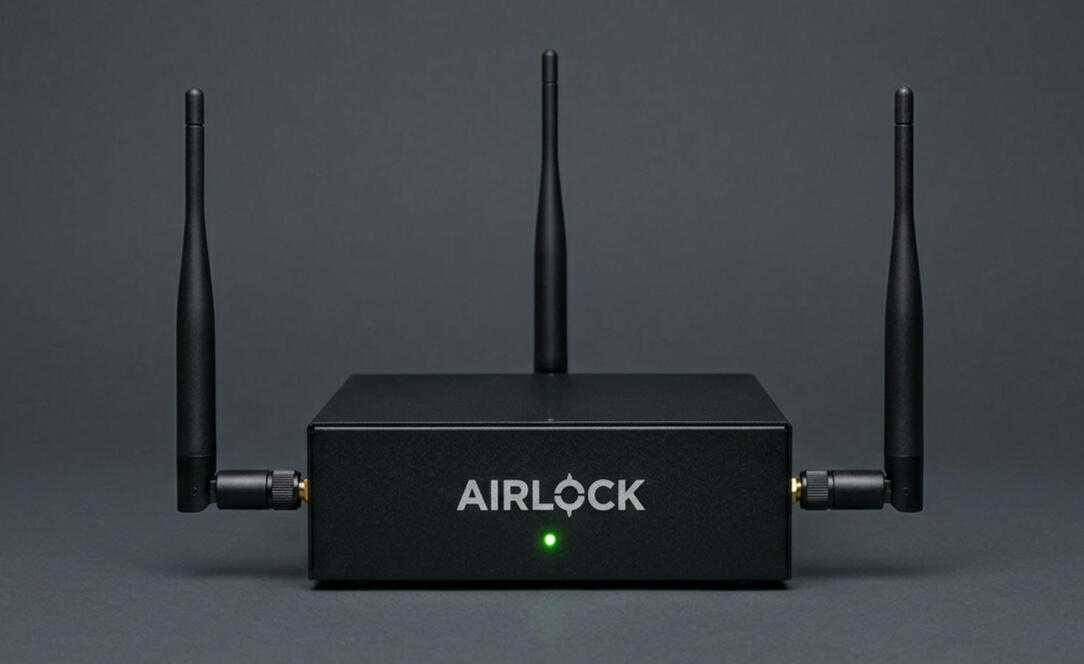
Provide your insurer with the wireless proof
Contact
To add wireless monitoring to your security stack